When you first access DPMS, you’ll be guided through a quick setup process to create your first board.
Creating Your First Board #
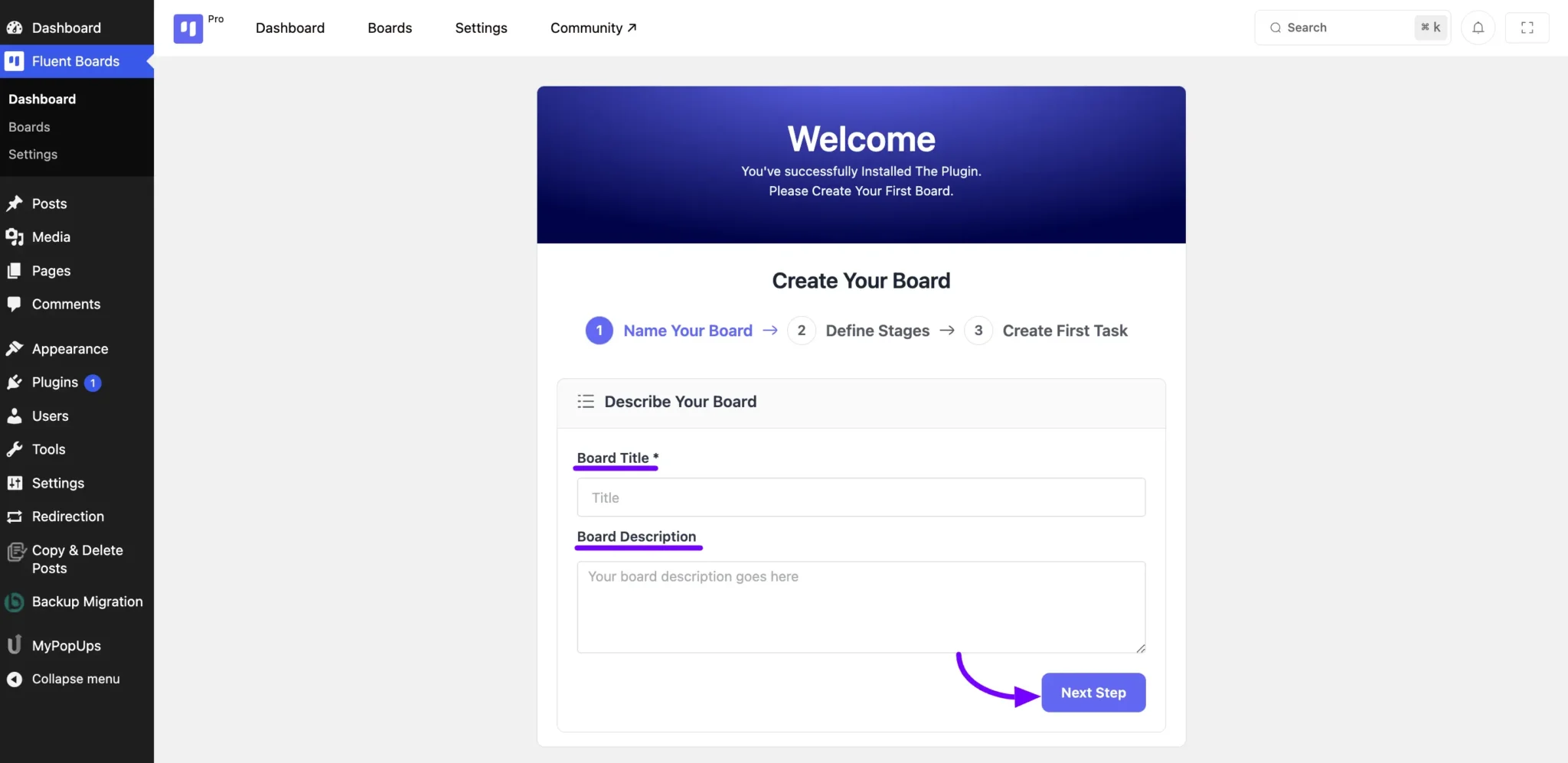
- Enter a Name and Description for your board.
- Click Next Step to proceed.
That’s it—your board is ready to use! 🚀
Customizing Stages #
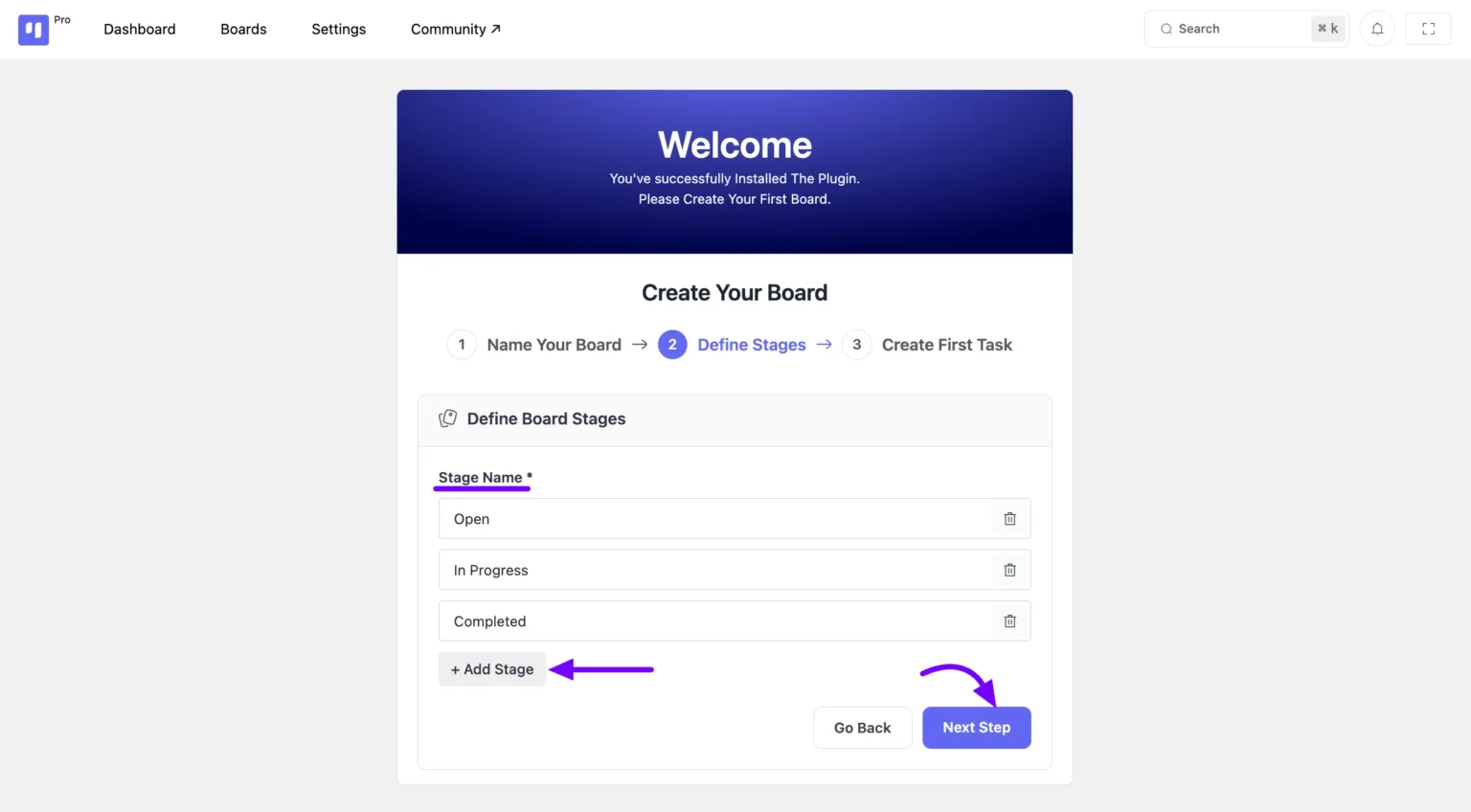
DPMS includes three default stages: Open, In Progress, and Completed.
✔ To add a new stage, click Add Stage.
✔ To remove a stage, click the Delete icon next to it.
Once you’re done, click Next Step to proceed.
Adding Tasks #
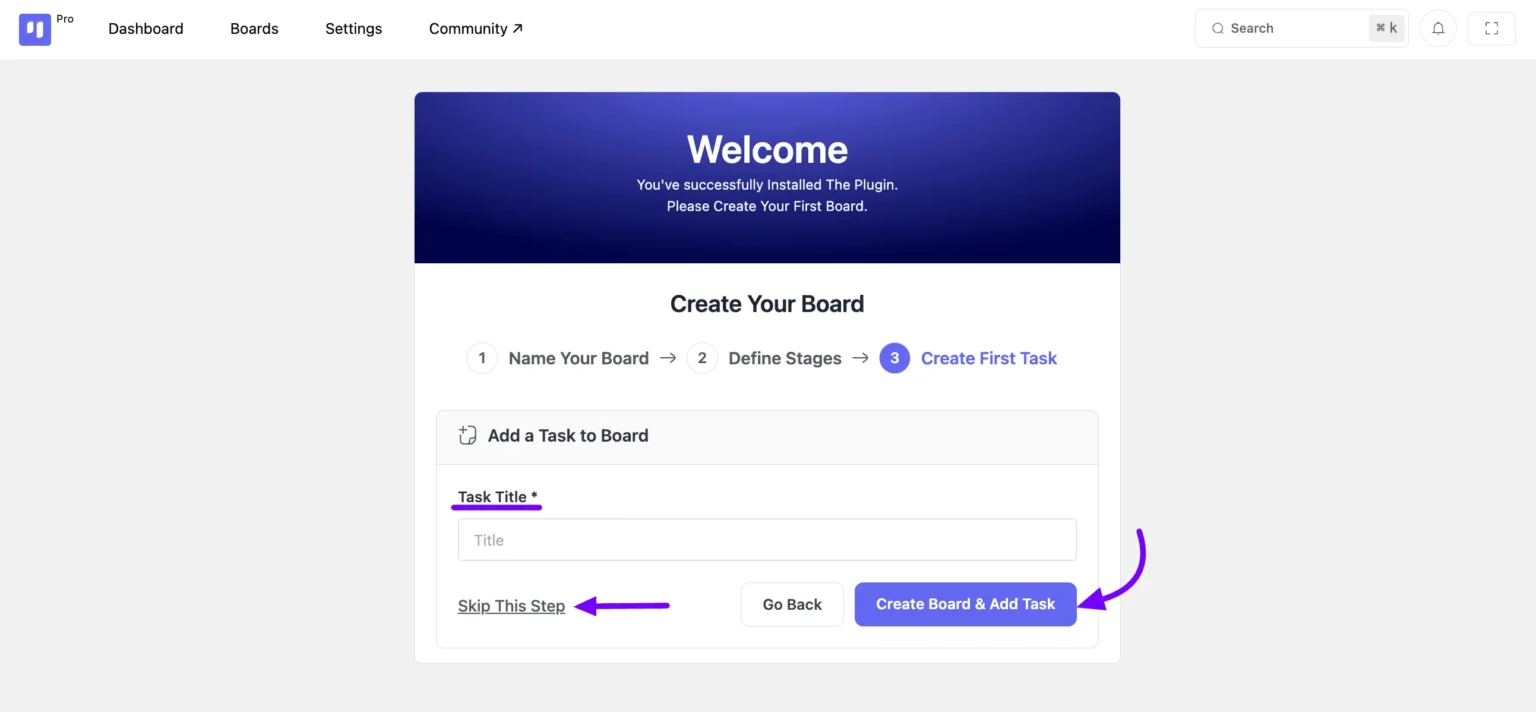
To add a task, enter a title and click Create Board & Add Task.
If you’re not ready to add tasks yet, simply select Skip this Step and continue.
Accessing Your Boards #
Once setup is complete, you’ll have full access to your boards, where you can organize tasks and associate CRM contacts if needed.
This streamlined onboarding process helps you get started quickly, making task management efficient and hassle-free.