DPMS offers three board views to help you visualize and manage tasks efficiently:
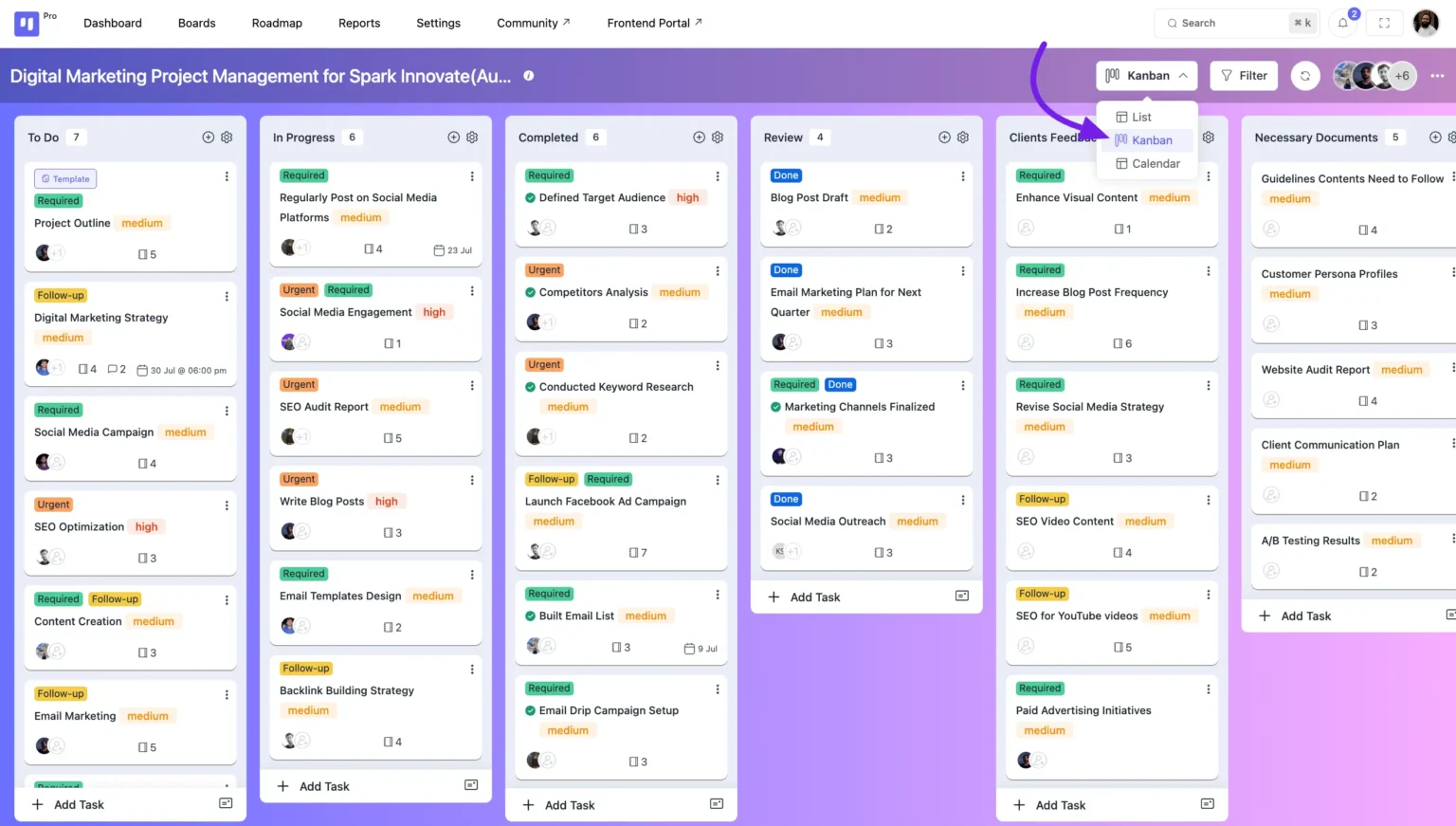
- Kanban View – Organize tasks into stages for a visual workflow.
- List View – Display tasks in a structured list format.
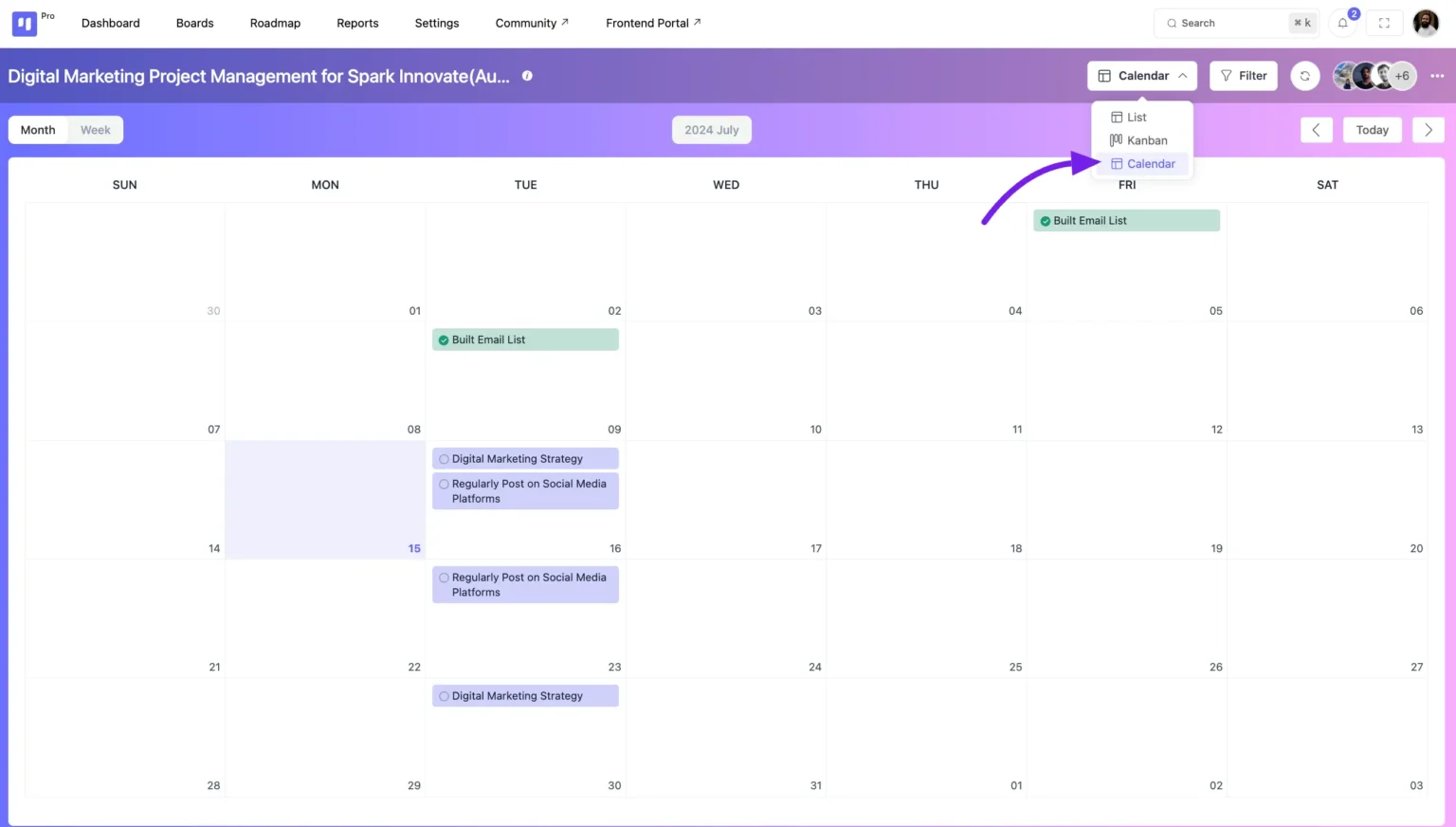
- Calendar View – View tasks based on deadlines and due dates.
Switching Board Views #
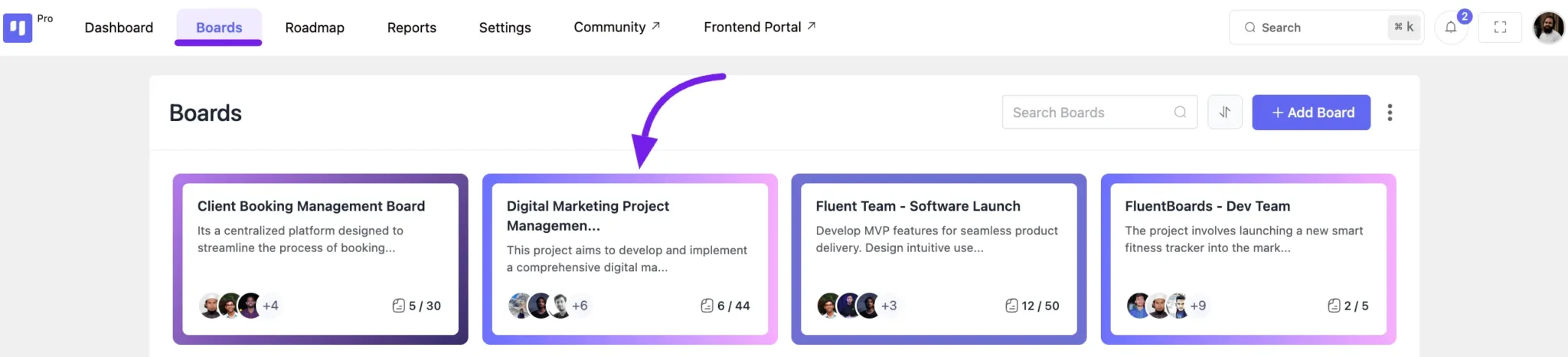
- Go to the Boards section from the top menu in your DPMS dashboard.
- Select the board you want to adjust.
- Choose your preferred view mode for better task management.
Kanban View #
The Kanban View is the default board layout in DPMS. It uses a card-based system to display tasks by stage, making workflow management intuitive and efficient.
This view helps you track progress visually, ensuring smooth task movement from one stage to another, boosting productivity.
List View #
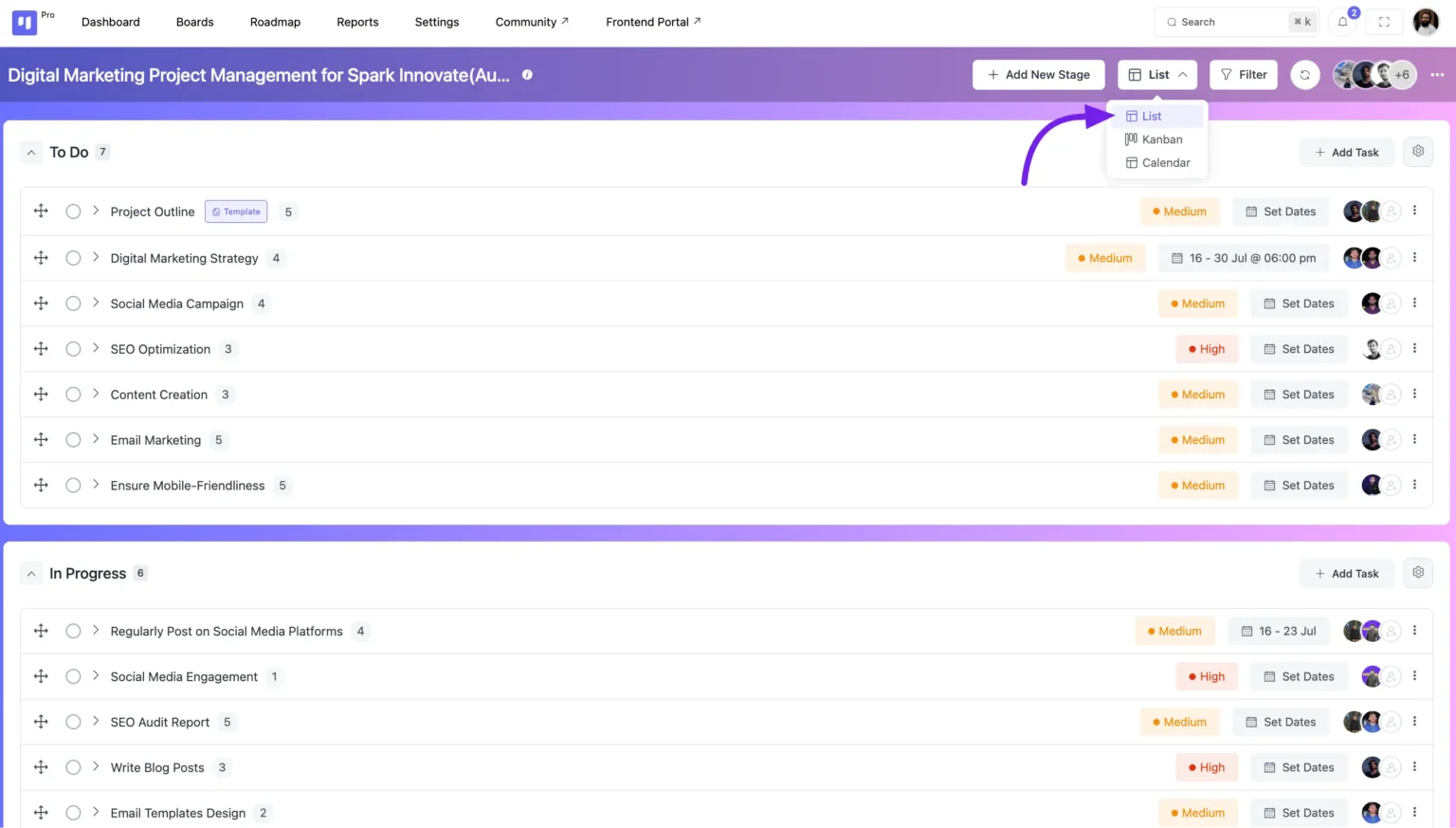
The List View presents tasks in a structured format, displaying them in a vertical or horizontal list for easy navigation and interaction.
In this view, tasks are organized stage by stage, showing key details like priority, start and due dates, and assigned tasker profiles—helping you manage tasks efficiently.
Calendar View #
The Calendar View provides a visual representation of tasks based on their due dates and completion dates.
This layout helps you track deadlines efficiently by displaying task titles on specific dates, ensuring better scheduling and time management.