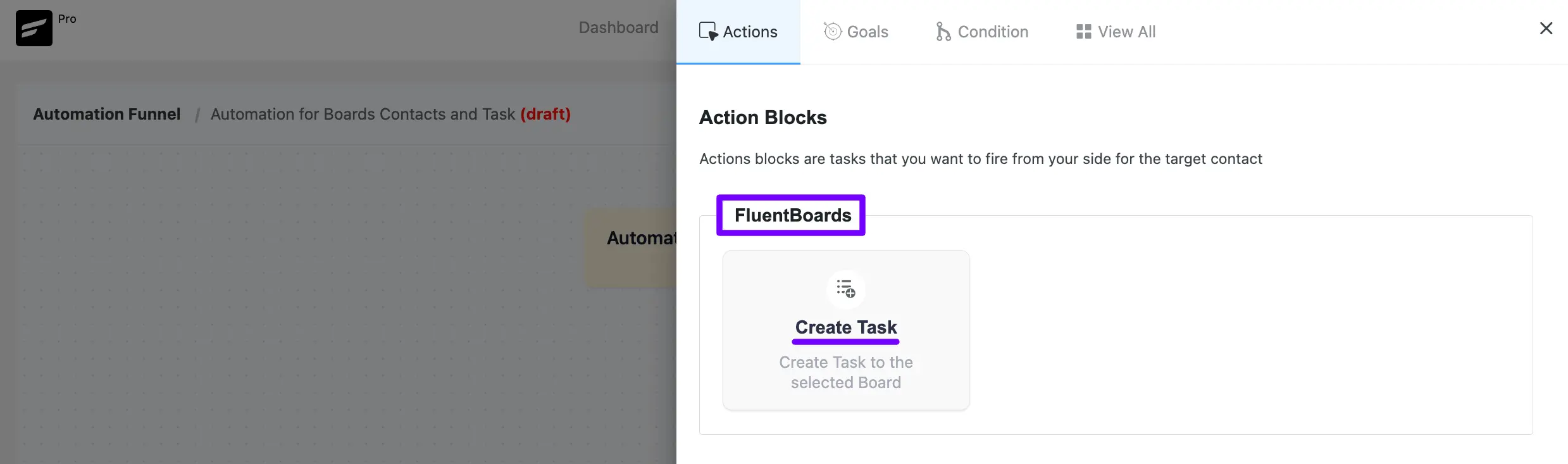
Powered by FluentBoard, FluentCRM automatically integrates with DPMS, allowing seamless task management within projects. Both FluentCRM and DPMS offer essential features for handling project-related tasks efficiently.
CRM Contacts in Boards #
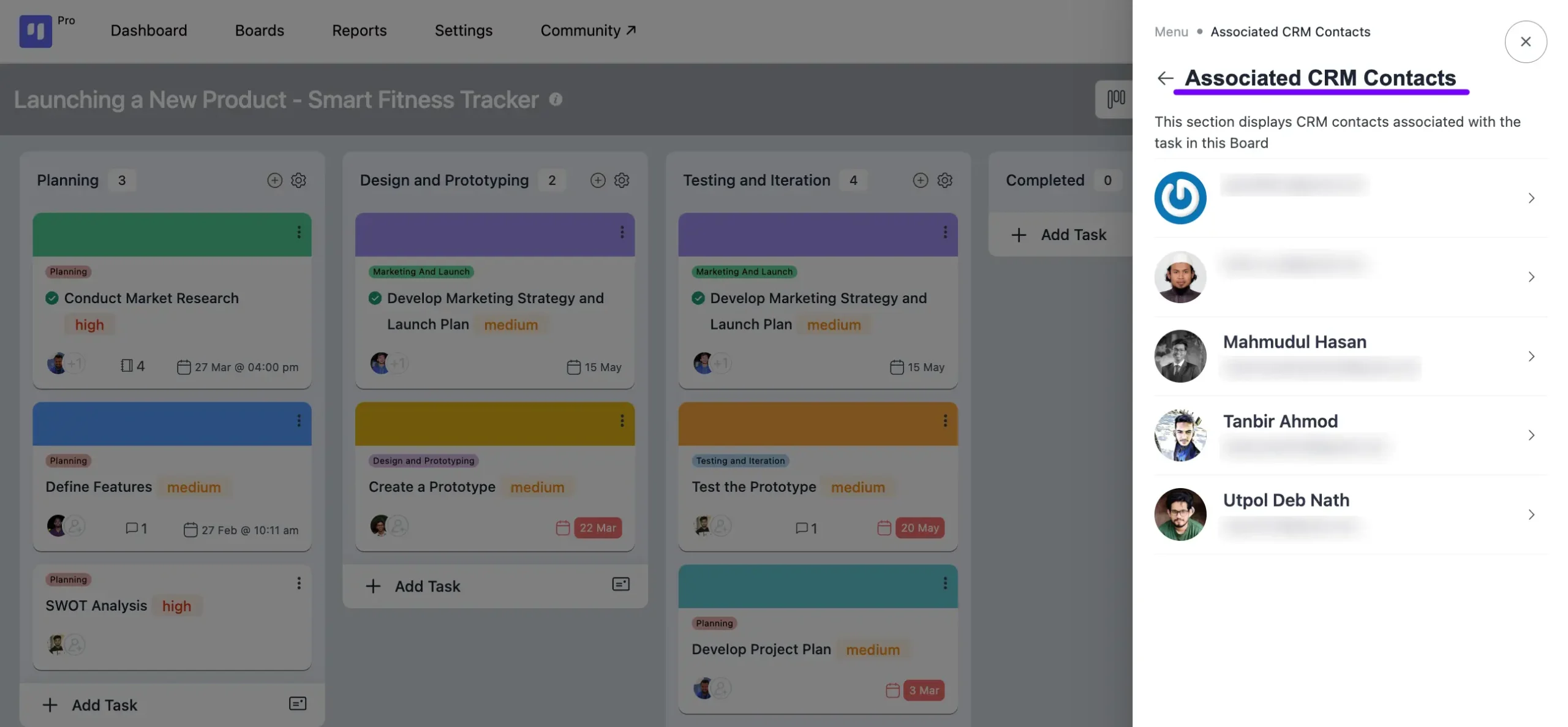
DPMS (Powered by FluentBoard) allows you to add FluentCRM contacts to your tasks. You can view all CRM contacts linked to your board’s tasks in the Boards menu.
To access CRM contacts associated with tasks:
- Navigate to your board.
- Click the three-dot button in the top-right corner to open the board menu.
- Select Associate CRM Contacts to view the CRM contacts linked to your board’s tasks.
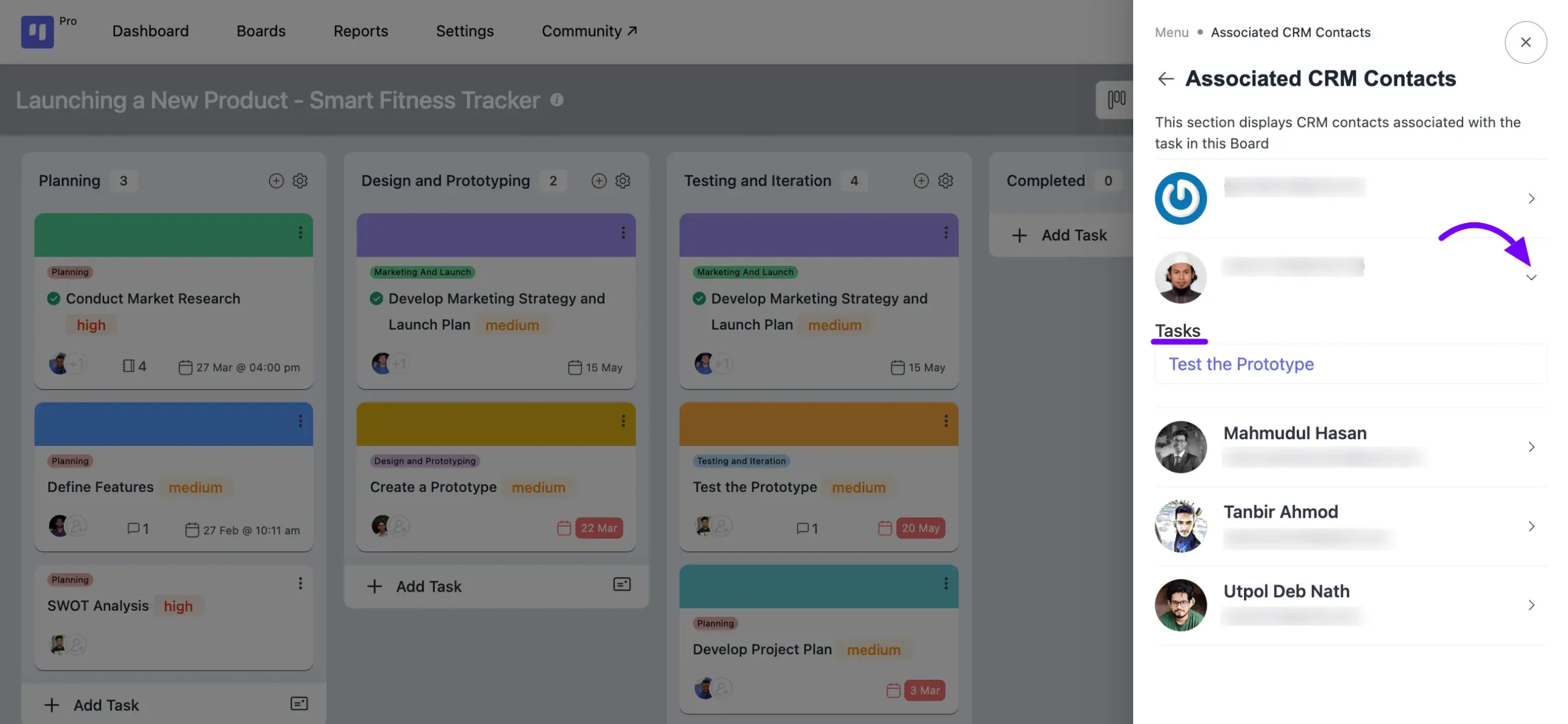
Clicking on the Arrow icon button will reveal the tasks associated with those CRM contacts.
Adding CRM Contacts to Tasks #
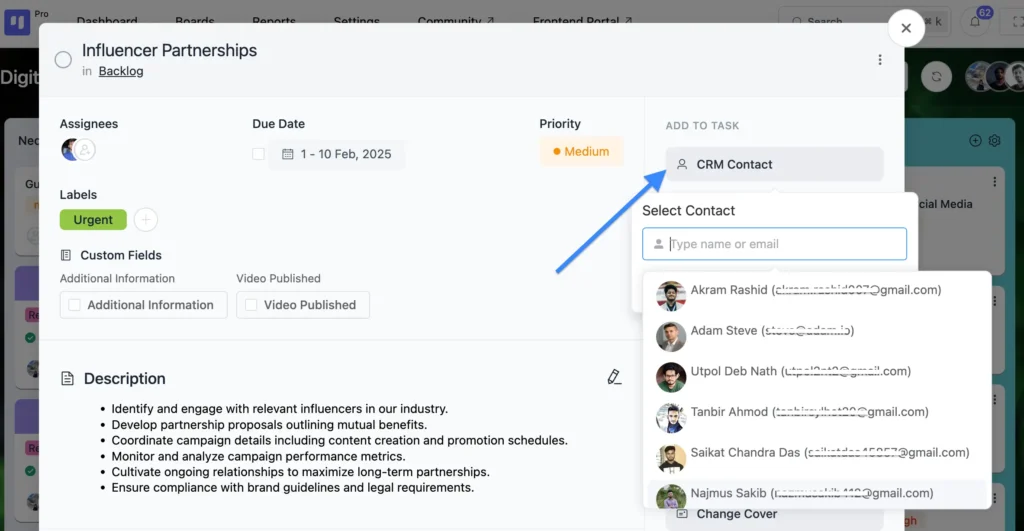
To associate a CRM contact with your task, follow these steps:
Go to the task where you wish to add the CRM contact or create a new task. In the task pop-up, you’ll find the CRM Contact button. Click on this button to include the CRM contact in your board.
Viewing Tasks and Boards Associated with FluentCRM Contacts #
To observe tasks and boards linked with your FluentCRM contacts, follow these steps:
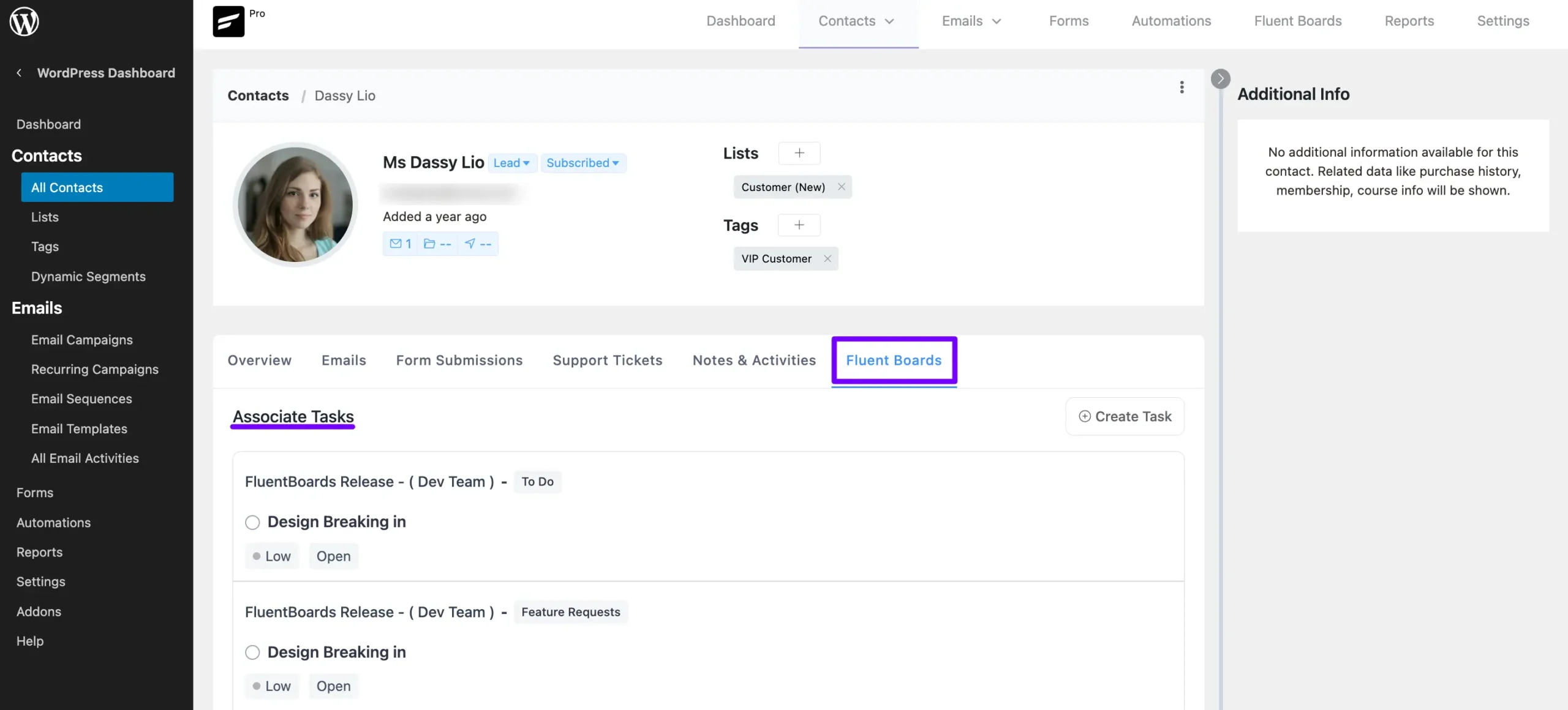
Head to the All Contacts section from the FluentCRM Dashboard. Open the specific contact that has been added to your board.
Within FluentCRM, select FluentBoards in the contact details. Here, you will find all boards and tasks associated with that specific contact, allowing seamless task management within DPMS (Powered by FluentBoard).
FluentCRM Automation #
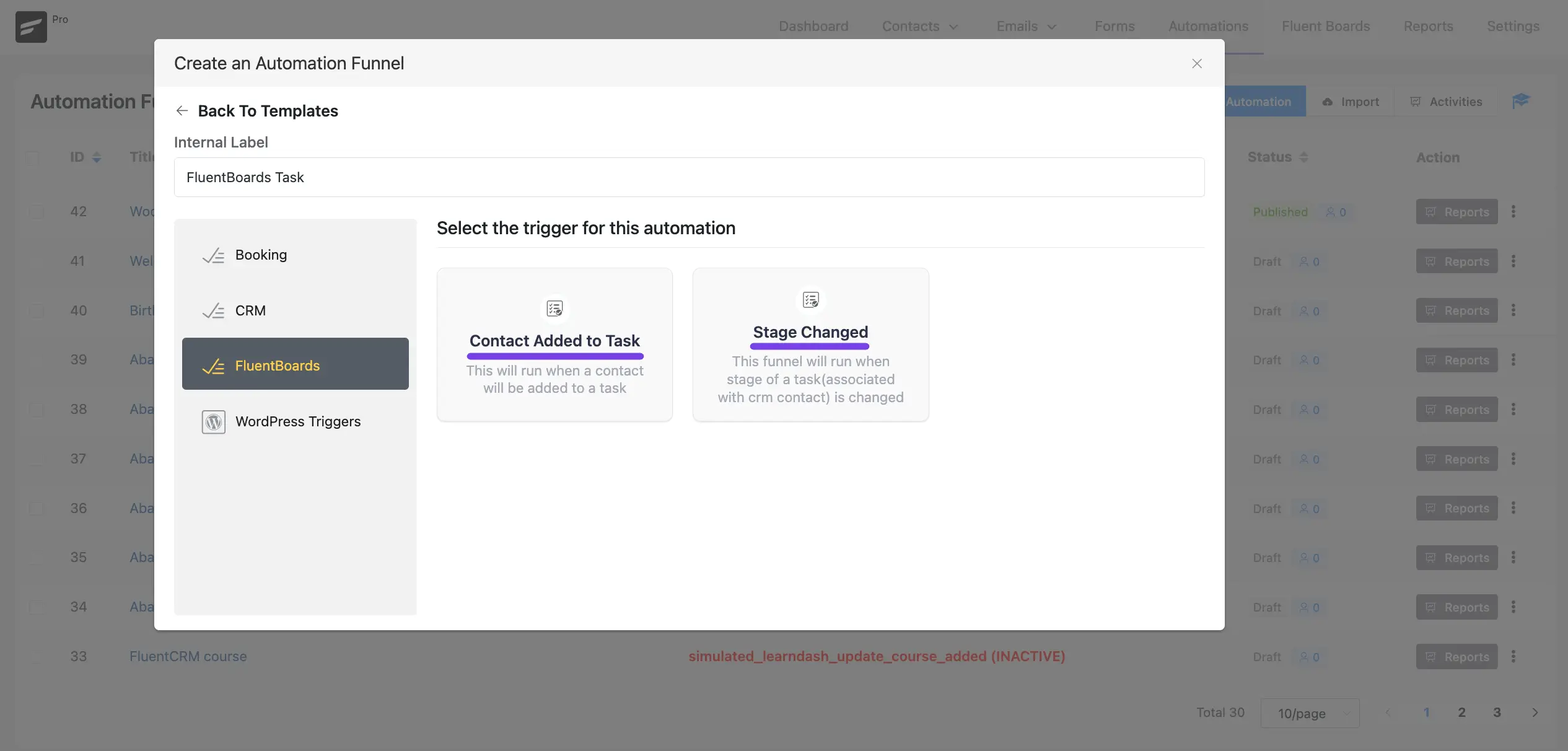
In Fluent CRM you will get some Automation based on your Board and Task changes. You will get three automation action triggers for boards in FluentCRM those are
- Contact Added to Task: This Automation will run when a contact will be added to a task.
- Stage Changed: This automation will run when the stage of a task changes.
Automation Action #
In DPMS (Powered by FluentBoard), you have access to the Create Task action. This allows you to automate task creation within your boards, streamlining workflow management efficiently.