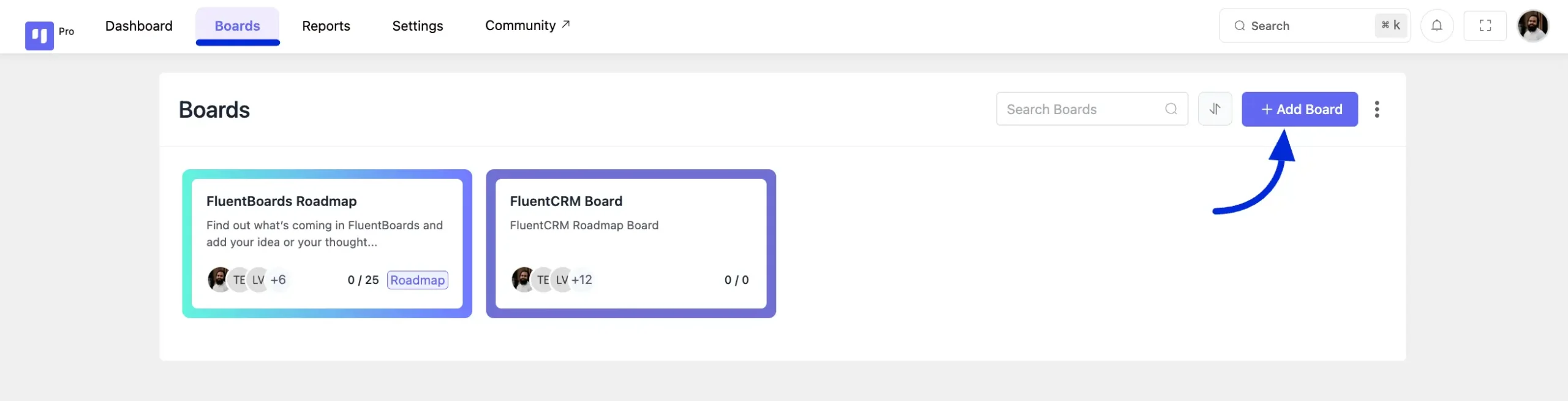
To create a Roadmap Board go to your FluentBoards and click on the Boards from the navbar then select Add Board button.
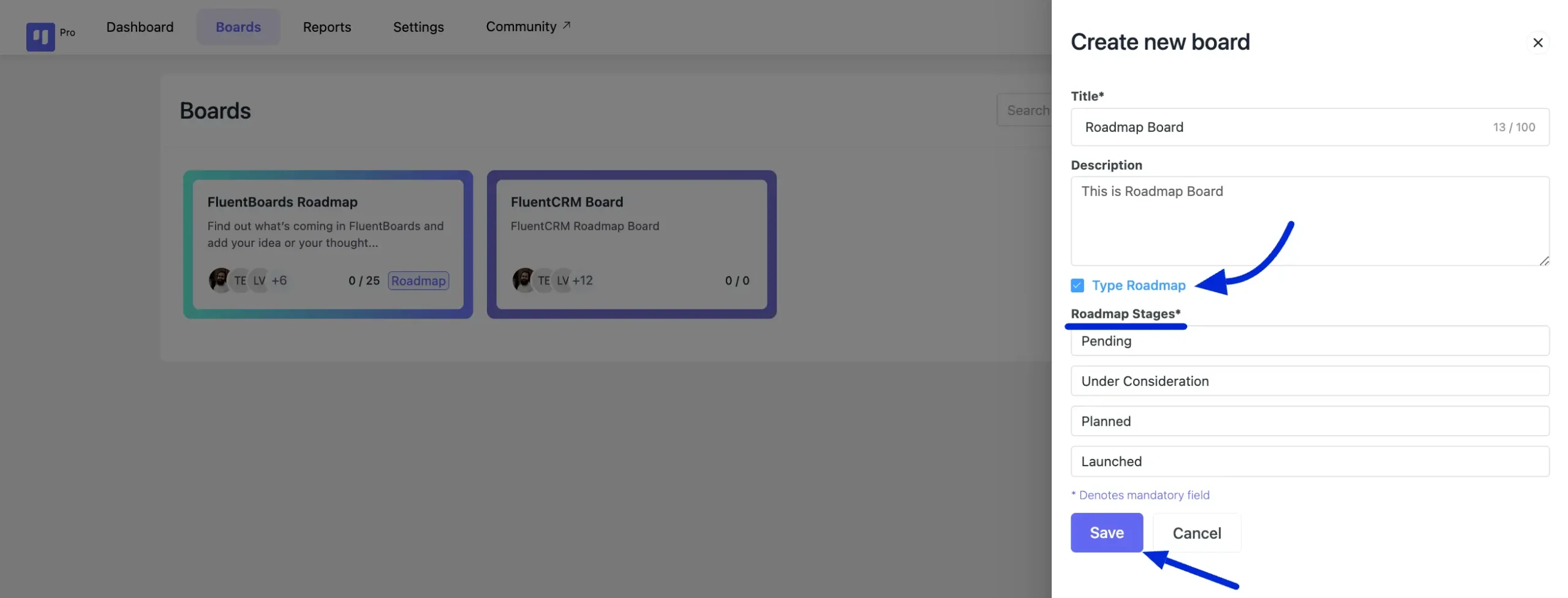
After clicking on the button you will see a pop-up from the right side where you have to give Title and Description for your Roadmap board. Then select the board type Roadmap by clicking on the Type Roadmap checkbox.
Now you will see the Stage names for your Roadmap Board. You can change the stage names here by clicking over the stage names. After customizing your stages, click on the Save button to finalize and create your Roadmap board.
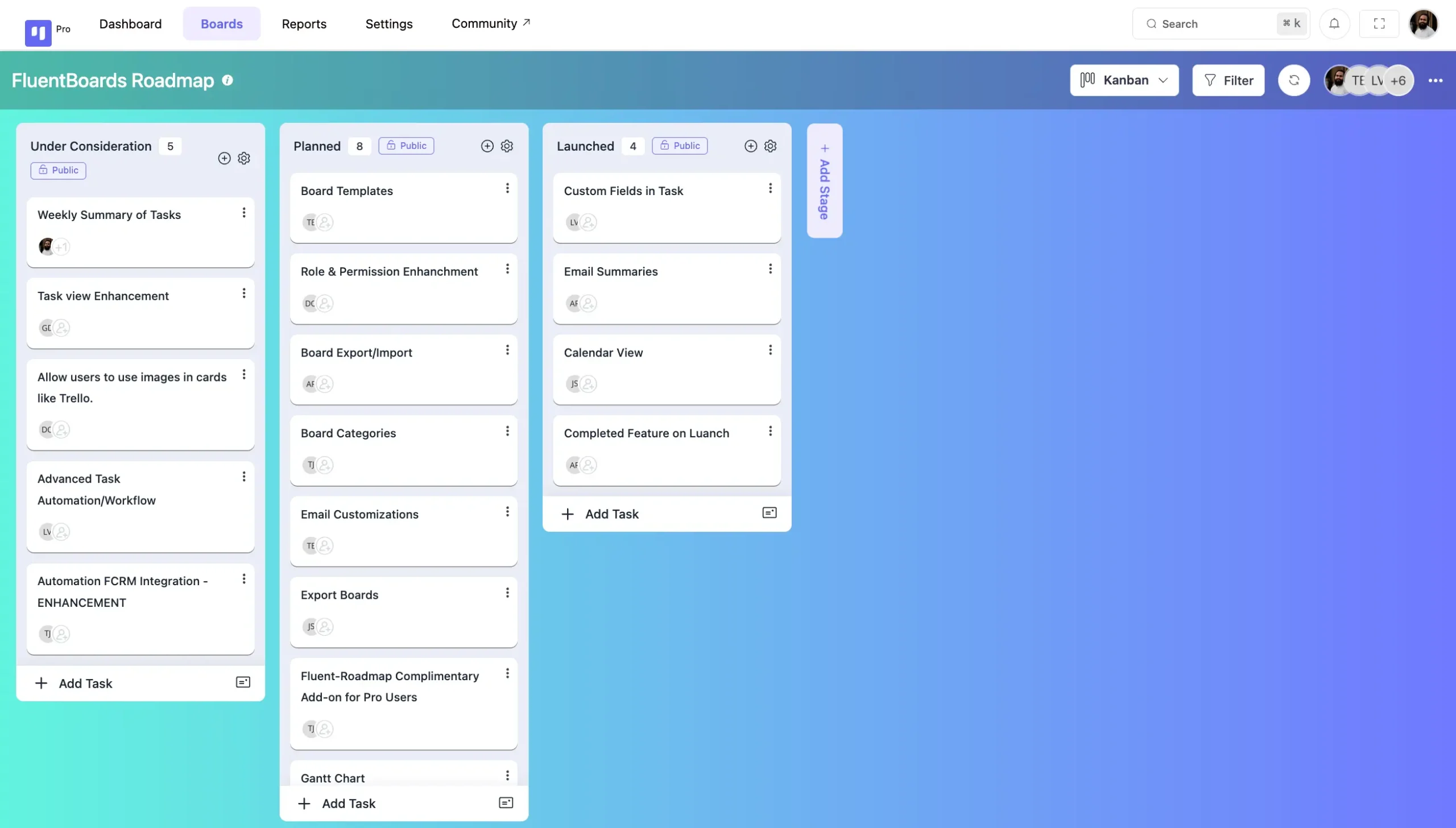
Now you’ll be redirected to your Roadmap Board. Here, you can add tasks, manage assignees, and handle other task-related settings that are similar to the normal Boards settings.
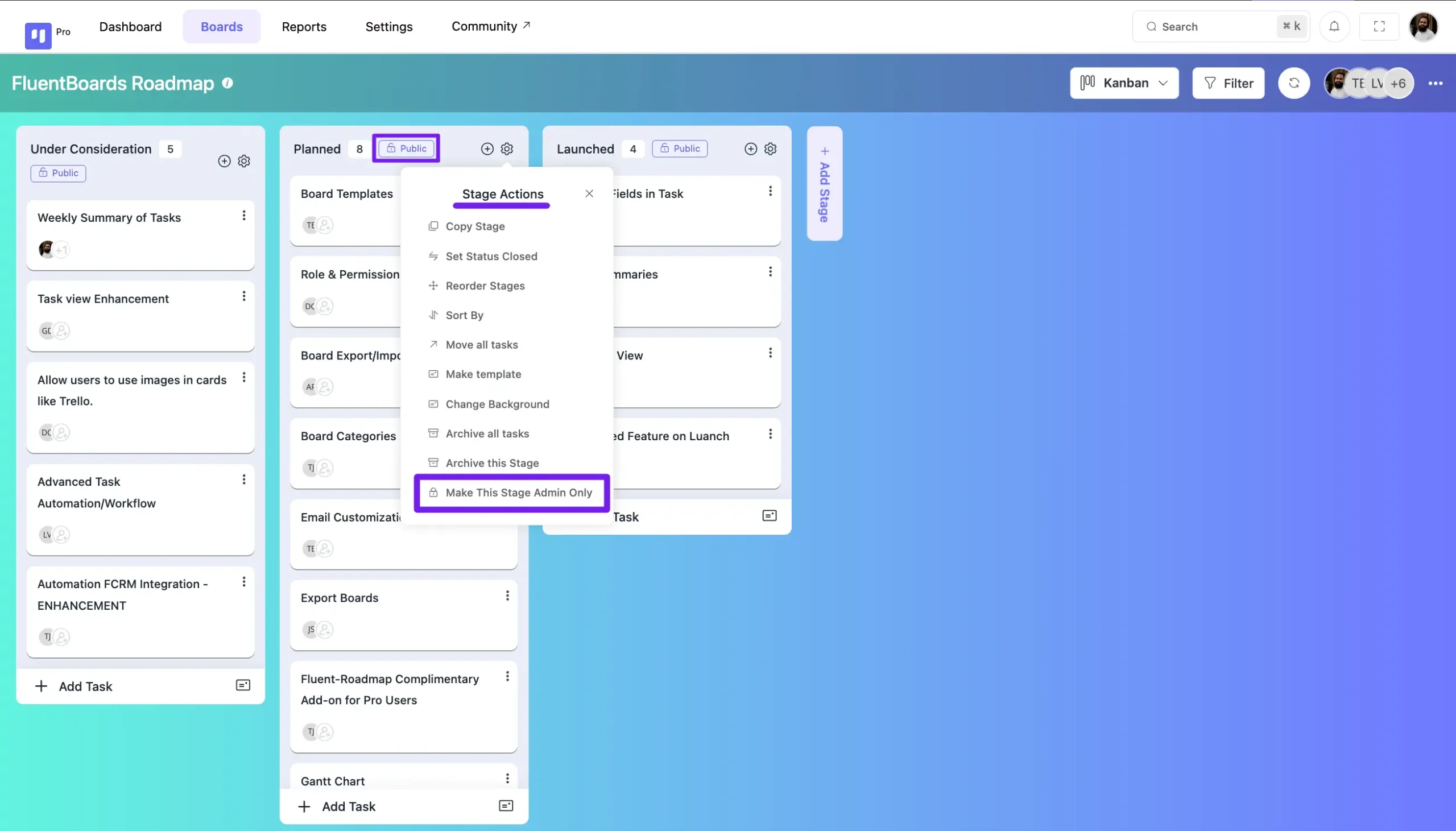
At the top of each stage, you will see a button indicating if the board is Public or Admin. To keep a stage public, no changes are needed. To make a stage admin-only, click on the settings icon at the top of the stage, then select the Make This Stage Admin Only button from the stage settings.
FluentBoards Roadmap Frontend View #
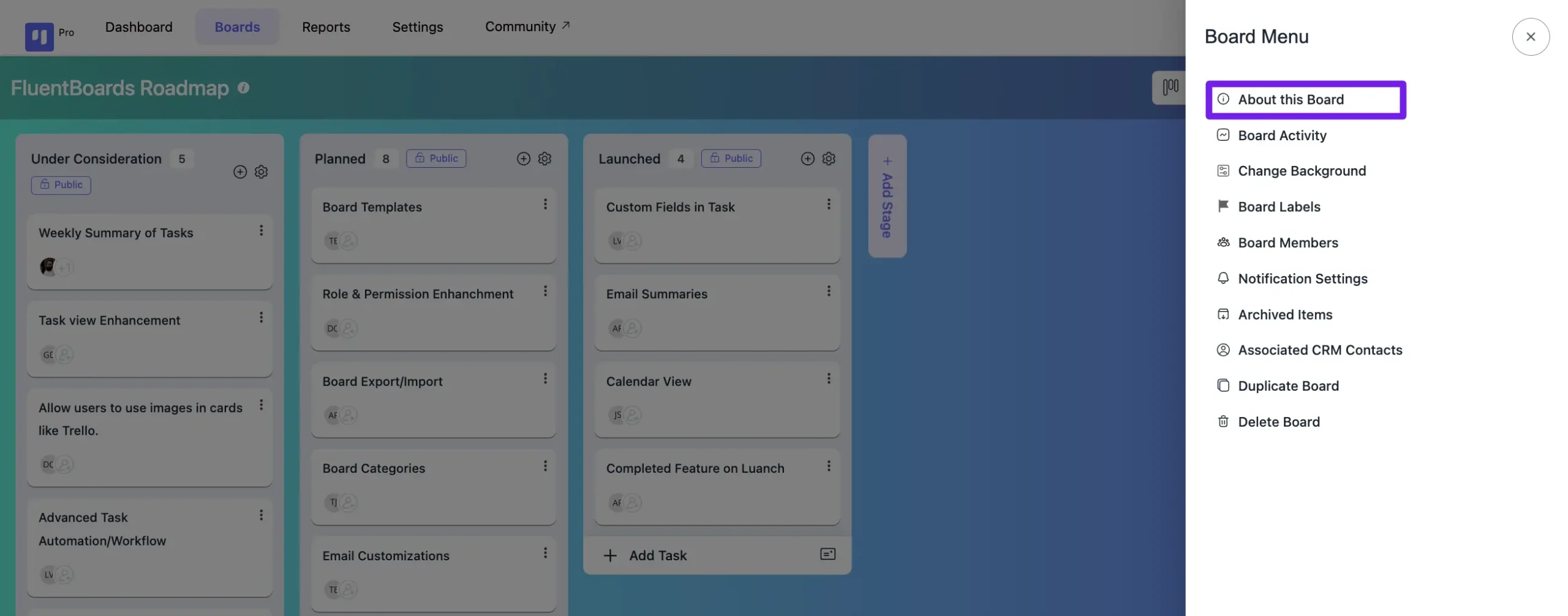
To display your Roadmap Boards on the frontend, navigate to the specific board you wish to add. Click on the three-dot button located at the top of your board to open the Board Menu. Next, select About This Board from the menu options.
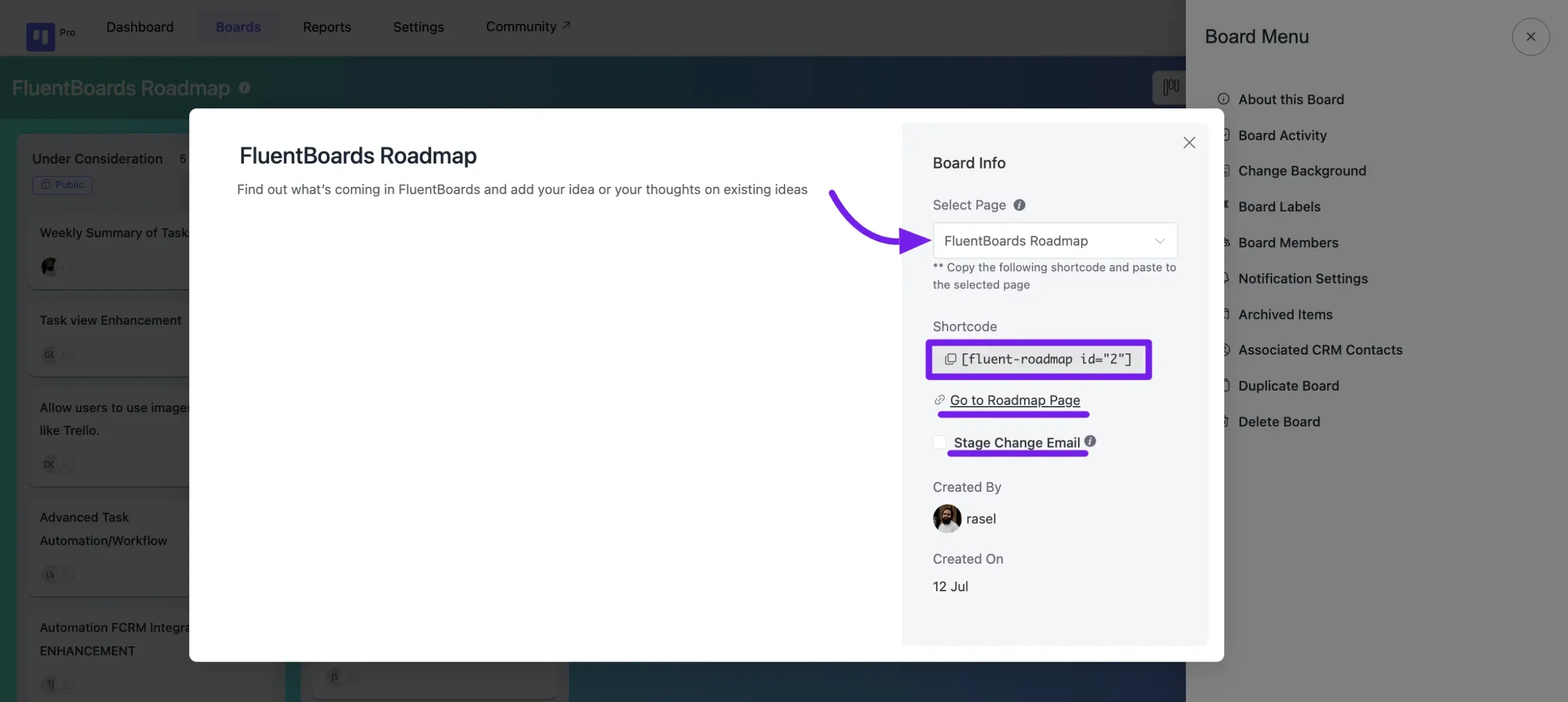
Once in the Board Info section, locate the Select Page dropdown field to choose a page where your Roadmap will appear. Afterward, you’ll find a shortcode for embedding your Roadmap on the frontend. Below, there’s a button to navigate directly to the selected page for adding your roadmap.
Stage Changed Email notifications will inform you about updates regarding stage changes.
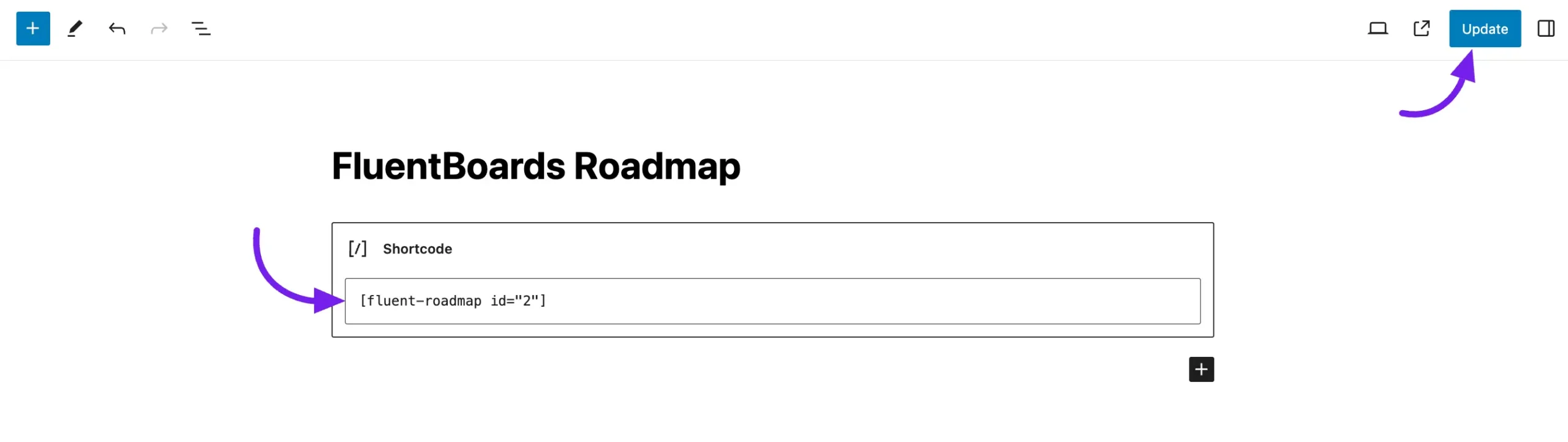
Navigate to the desired page where you want to embed your Roadmap and add a Shortcode block from the Gutenberg Blocks. Paste the copied Shortcode from the Board Info into the block. Finally, click the Update button to save your changes.
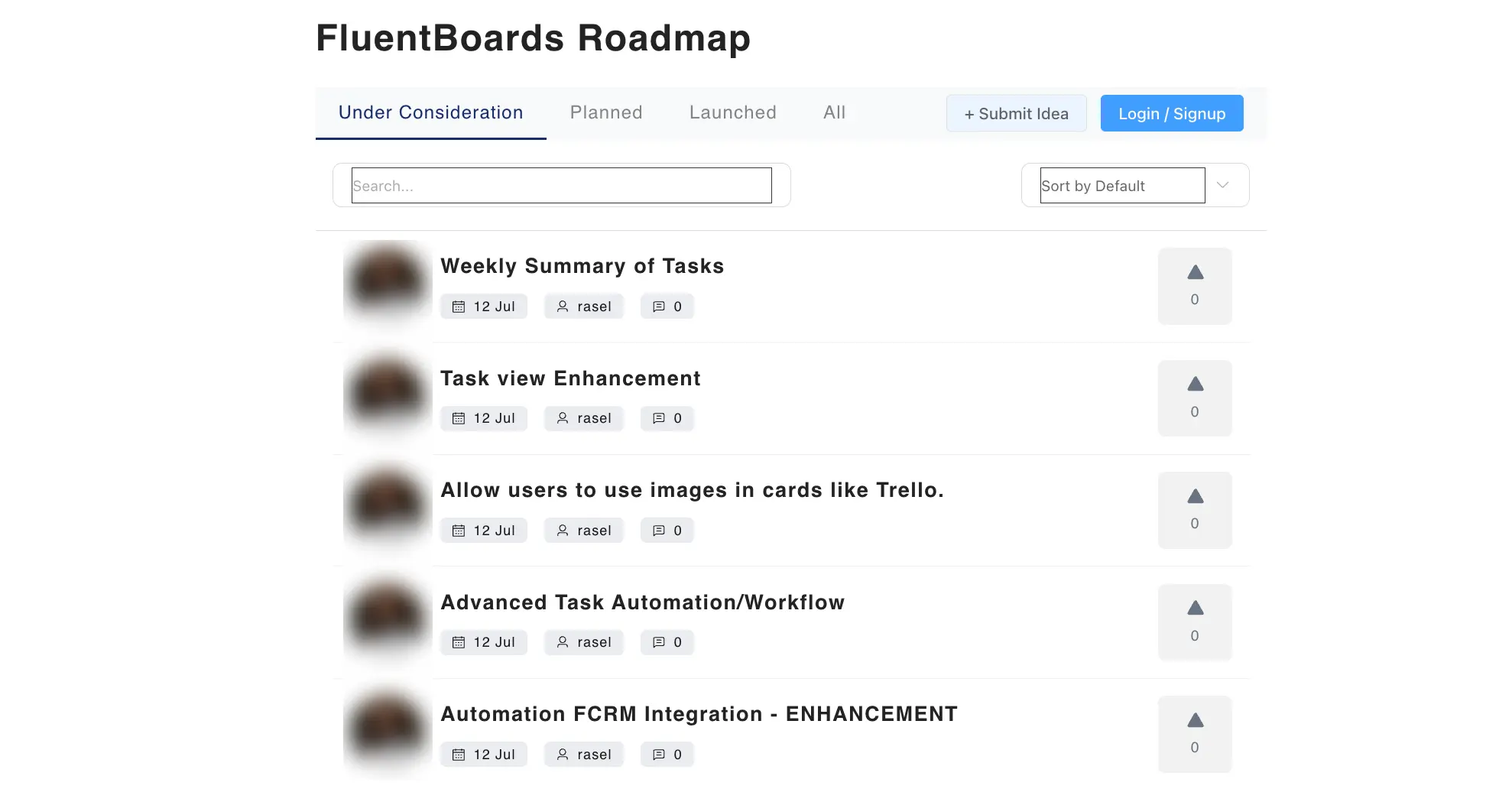
Now, when you preview your Roadmap Board on the frontend of your website, you will see it displayed like this.
Here’s how you can create a Roadmap for your site using Fluent Boards.