With DPMS (Powered by FluentBoard), you can create tasks directly from FluentSupport tickets. When a new support ticket arrives, your support agents can convert it into a task on your FluentBoards for better tracking and management.
The integration between FluentBoards and FluentSupport is simple—just install both plugins on your site. In this guide, we will walk you through the complete setup process.
Adding Task from Fluent Support Ticket #
Go to the Fluent Support Tickets and then open the specific ticket you want to add to your FluentBoards task.
In your ticket, you will see a three-dot button on the top right corner of your ticket. Now click on that three-dot button and you will see Add Task to FluentBoards select it.
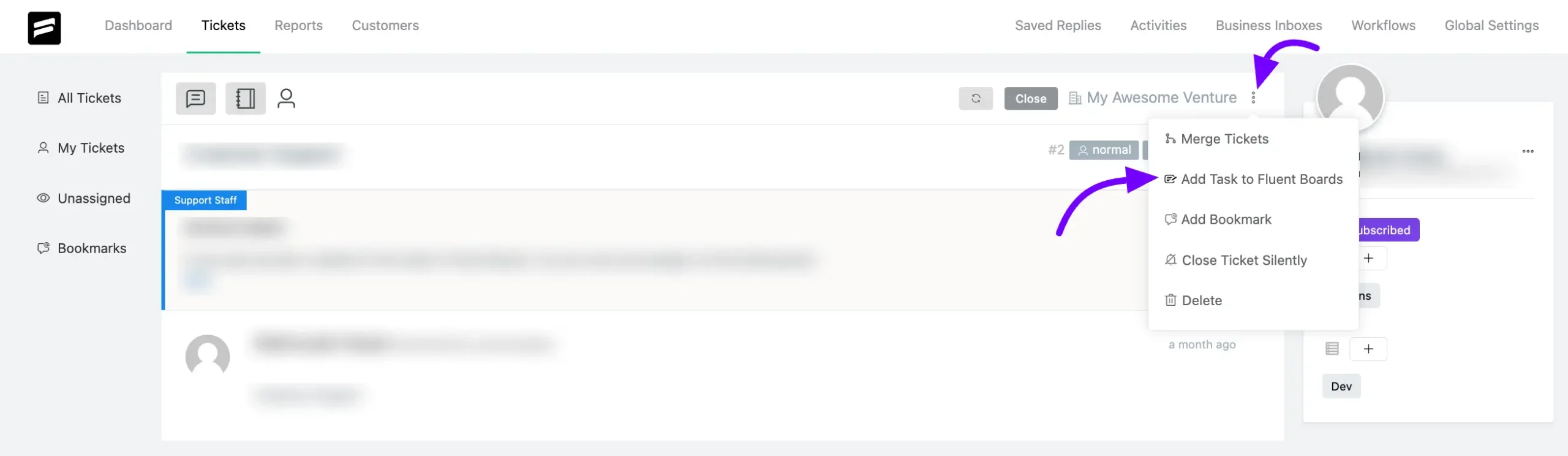
Your Task Title will be automatically chosen from your Ticket subject field and the Ticket description will be added as a task description.
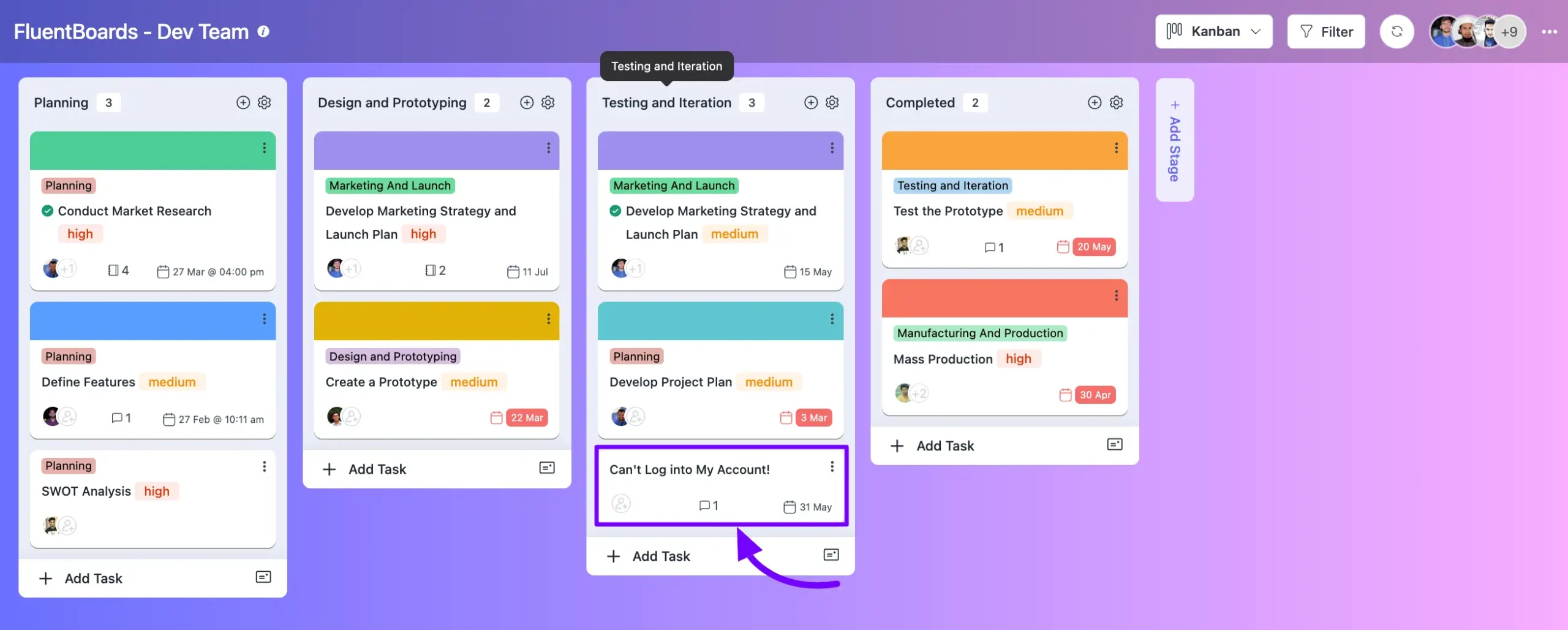
Here, you’ll find the option to choose the Board, Stage, and Date from the Dropdown menu, and the task will automatically be added to the bottom of that stage. Fluent Support Agents can only view the boards to which they have access.
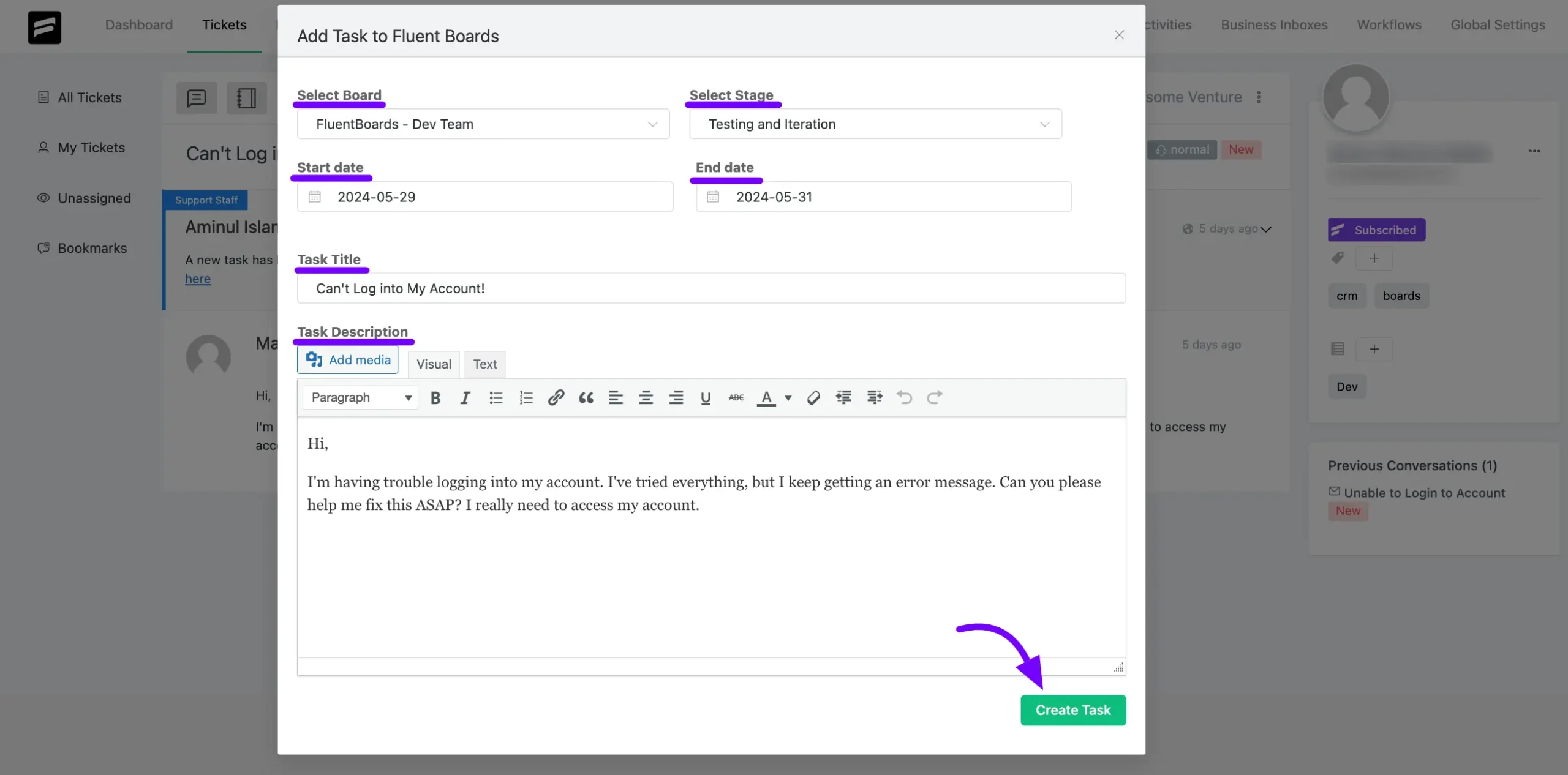
If the ticket opener is a FluentCRM User, they’ll be automatically linked to the task as an Associated CRM contact.
If you need to make further changes to the task, simply open it from your FluentBoards. From there, you can add assignees, set priorities, add labels, adjust dates, and make any other necessary adjustments.
This outlines all the options available to integrate your Fluent support with DPMS.