Table of Contents
Managing your tasks and activities in DPMS is simple. Your Profile provides a centralized view of your tasks across different boards.
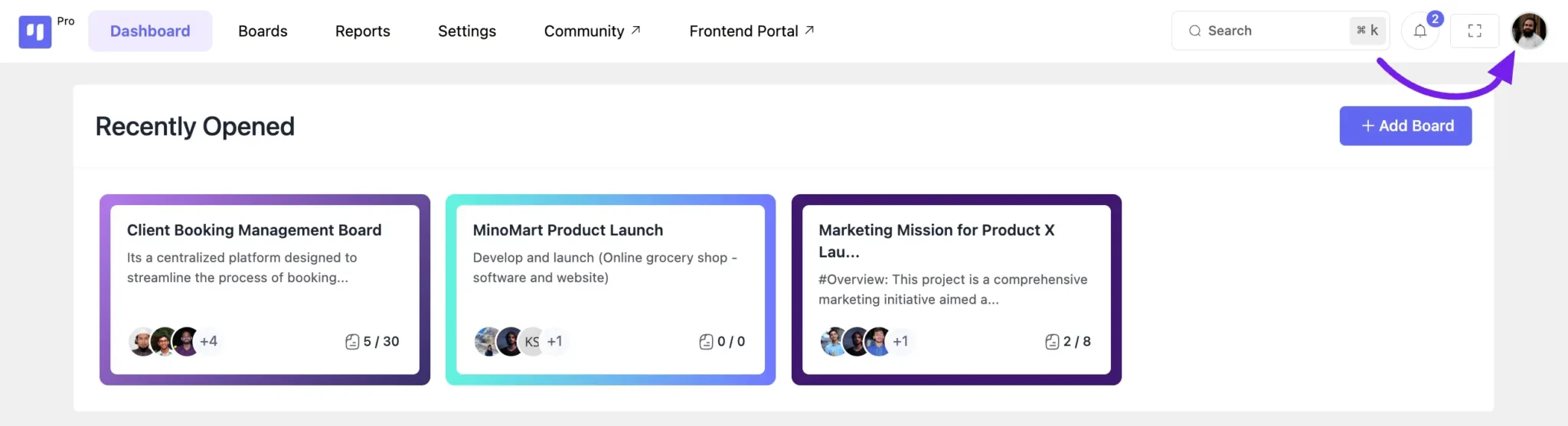
Accessing Your Profile #
- Click on your profile image in the top-right corner of the navbar.
- View your profile details, tasks, and recent activities on various boards.
Viewing Your Tasks #
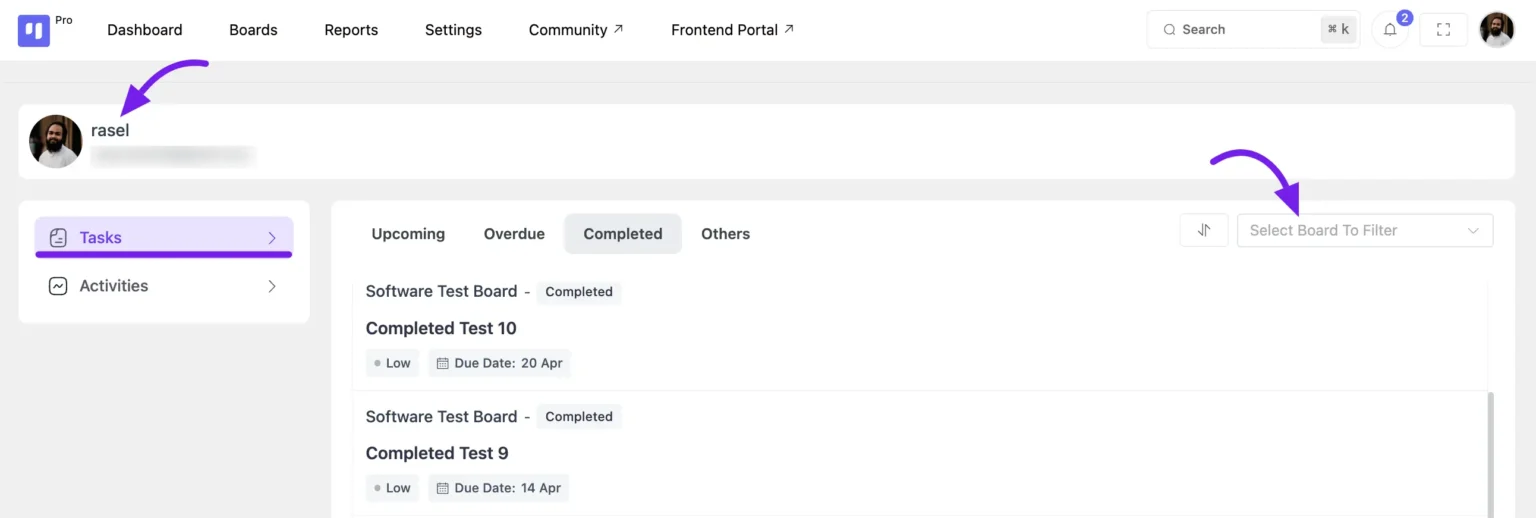
Navigate to the Tasks section from the left sidebar to see:
- Upcoming Tasks – Tasks with approaching deadlines.
- Overdue Tasks – Tasks that need immediate attention.
- Completed Tasks – Tasks you’ve finished.
- Other Tasks – Tasks that are unaddressed or missing updates.
To filter tasks by board, use the dropdown menu at the top-right corner and select the relevant board. This helps you focus on specific projects efficiently.
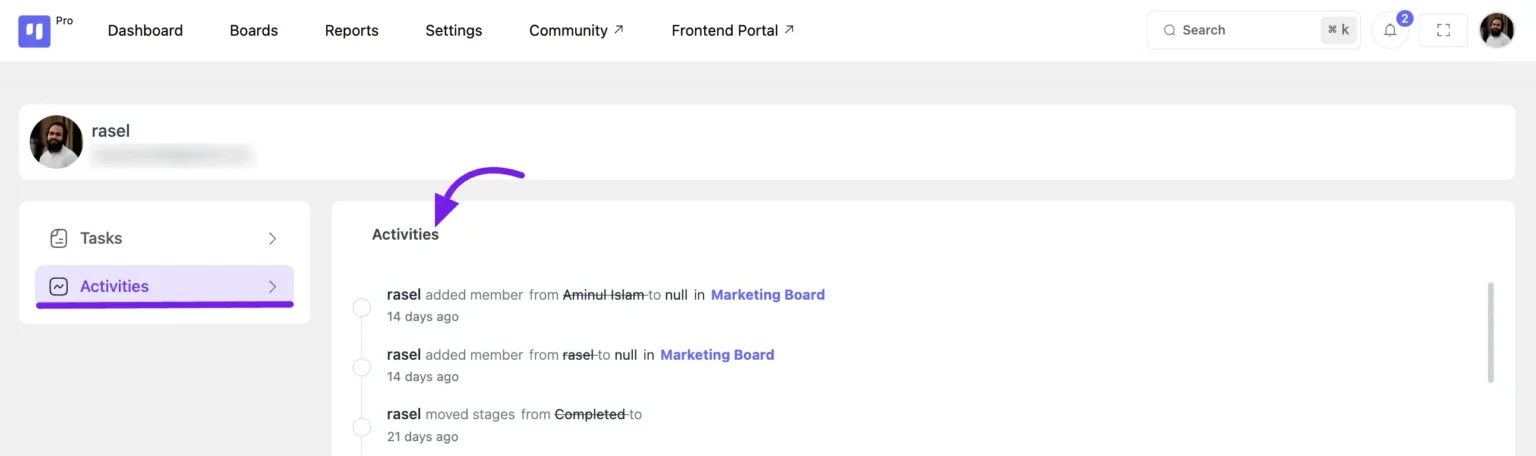
Viewing Your Activities in DPMS #
To track your recent actions, go to the left sidebar and click on Activities. This section provides a complete log of your recent activities within the platform, helping you stay updated on your progress.