Getting started with DPMS is simple and intuitive. This guide will walk you through the fundamental features, including boards, stages, task cards, and board menu settings.
What is DPMS? #
DPMS is a cloud-based Project Management System designed to help NGOs manage projects effectively. Built on FluentBoard, our platform enables seamless collaboration among team members while providing a structured approach to project planning and execution.
Unlike traditional project management tools, DPMS is a SaaS solution, meaning NGOs can access it anytime, anywhere—without needing to install additional software. Whether working from the WordPress backend or the dedicated NGO portal, teams can efficiently track progress, delegate tasks, and optimize workflows.
Understanding Boards #
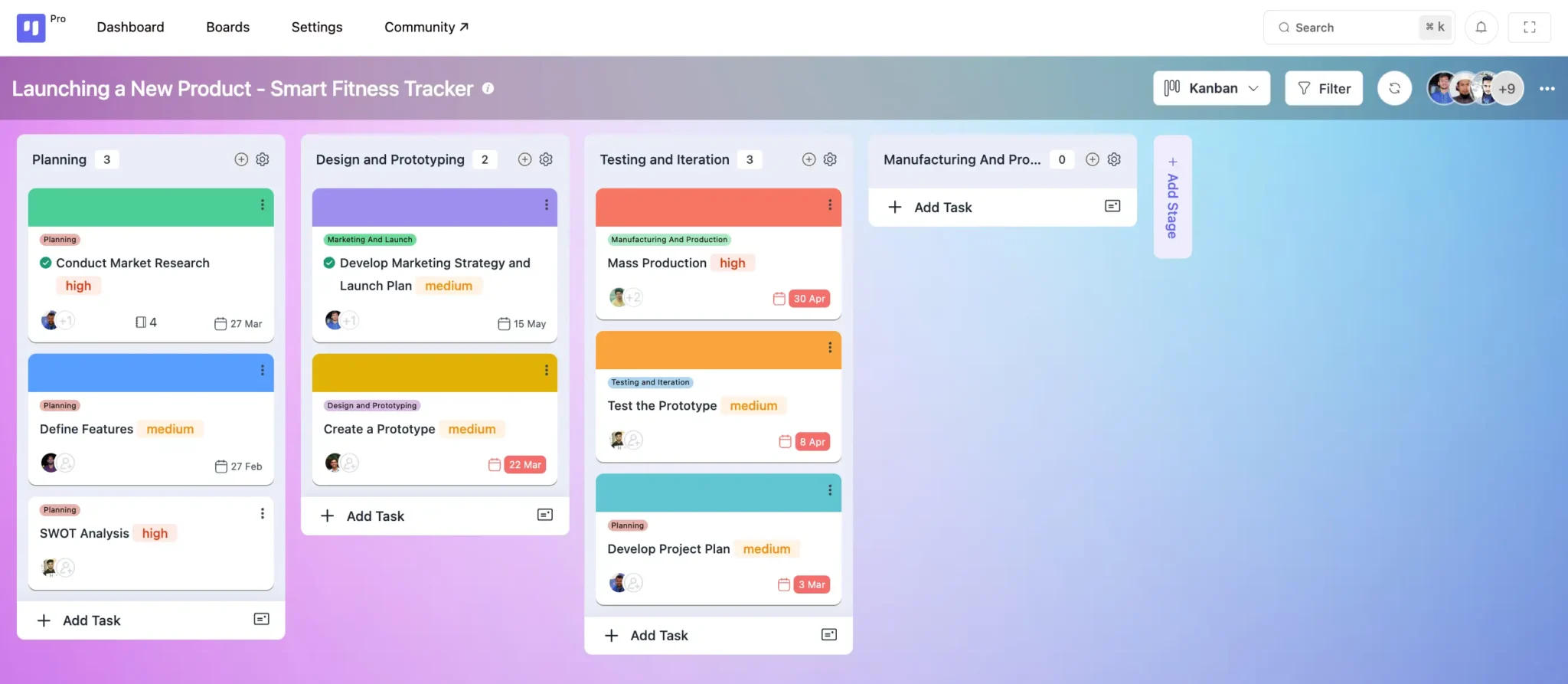
A Board serves as the central hub for organizing project-related activities. Whether you’re launching a new initiative, tracking ongoing work, or managing tasks, DPMS provides a clear and structured overview of your team’s workflow.
With DPMS, you can:
✅ Monitor tasks and assignees in real-time
✅ Use Kanban View for a visual representation of progress
✅ Switch to List View for a detailed breakdown of tasks
DPMS is designed to simplify project management for NGOs, ensuring they can focus more on impact and less on administrative overhead.
Exploring Stages #
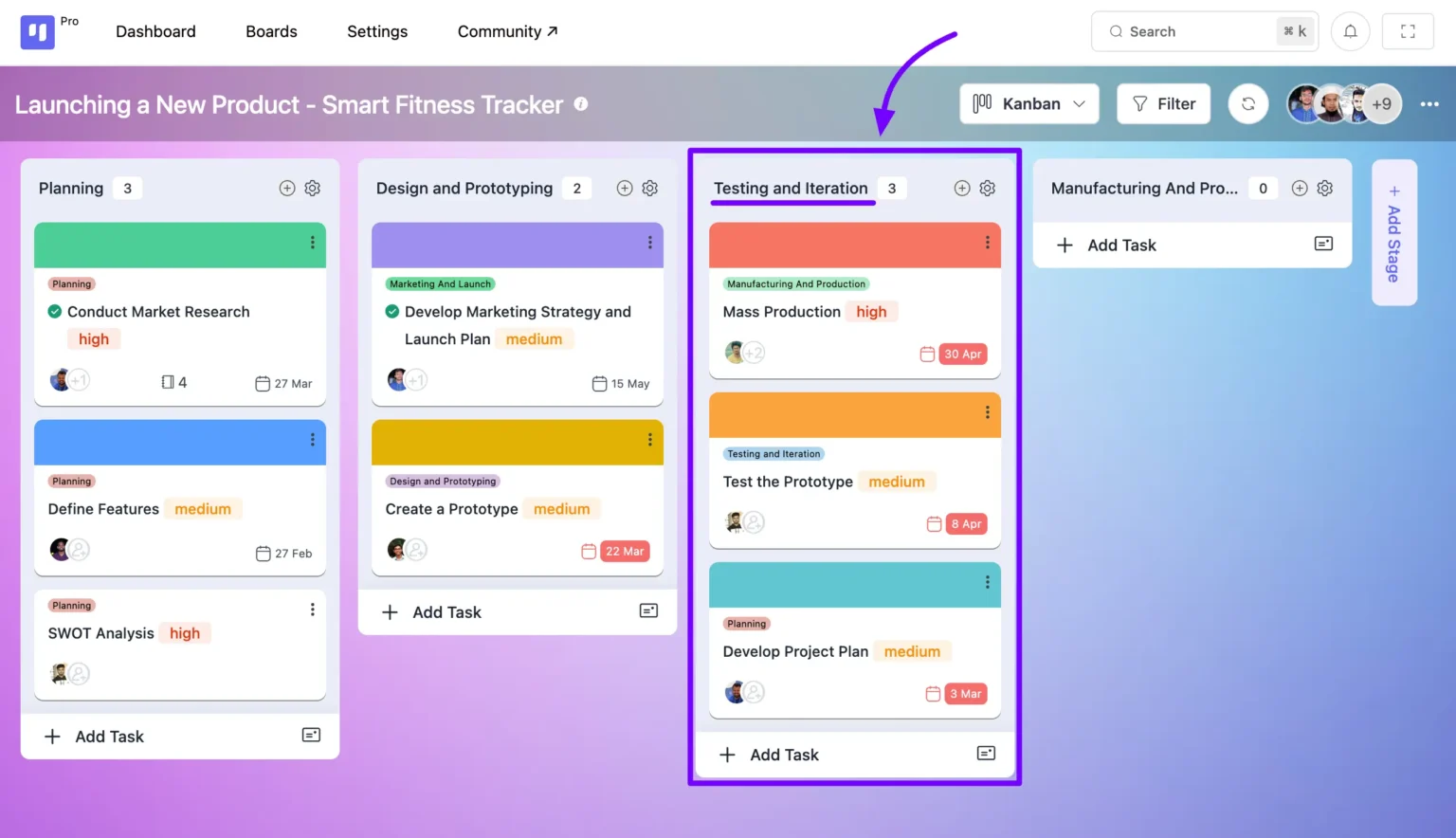
Stages are sequential lists where tasks are organized within a board. Each stage can hold unlimited tasks, helping streamline project management.
You can add, manage, and move both stages and tasks as needed, ensuring flexibility and efficiency in your workflow.
Understanding Task Cards #
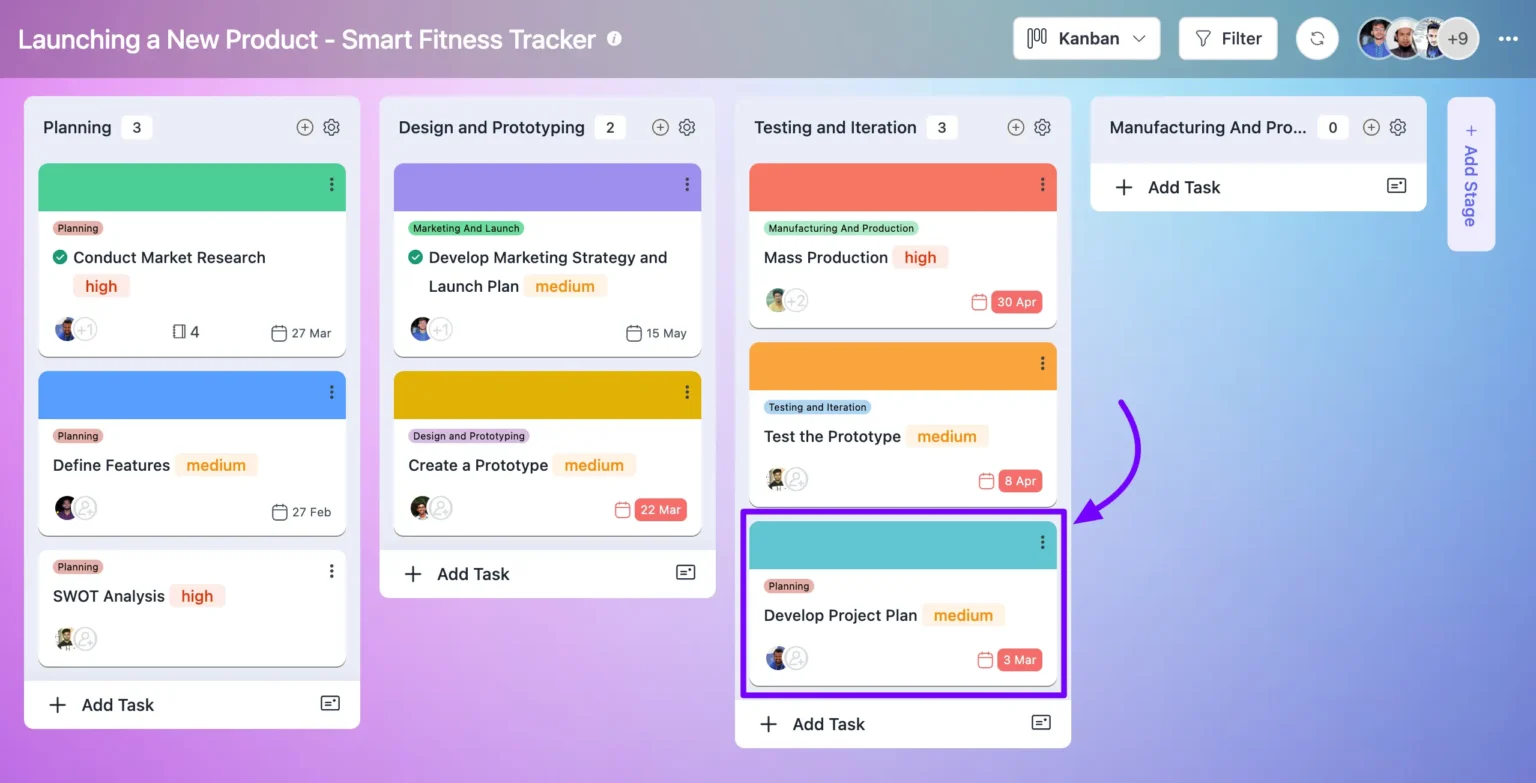
Task Cards are the core elements of a board, displaying key task details. Each card includes:
✔ Task descriptions
✔ Sub-tasks
✔ Assignees
✔ Due dates
✔ Attachments
They offer a clear snapshot of each task within the project, keeping everything organized and easily accessible.
Navigating the Board Menu #
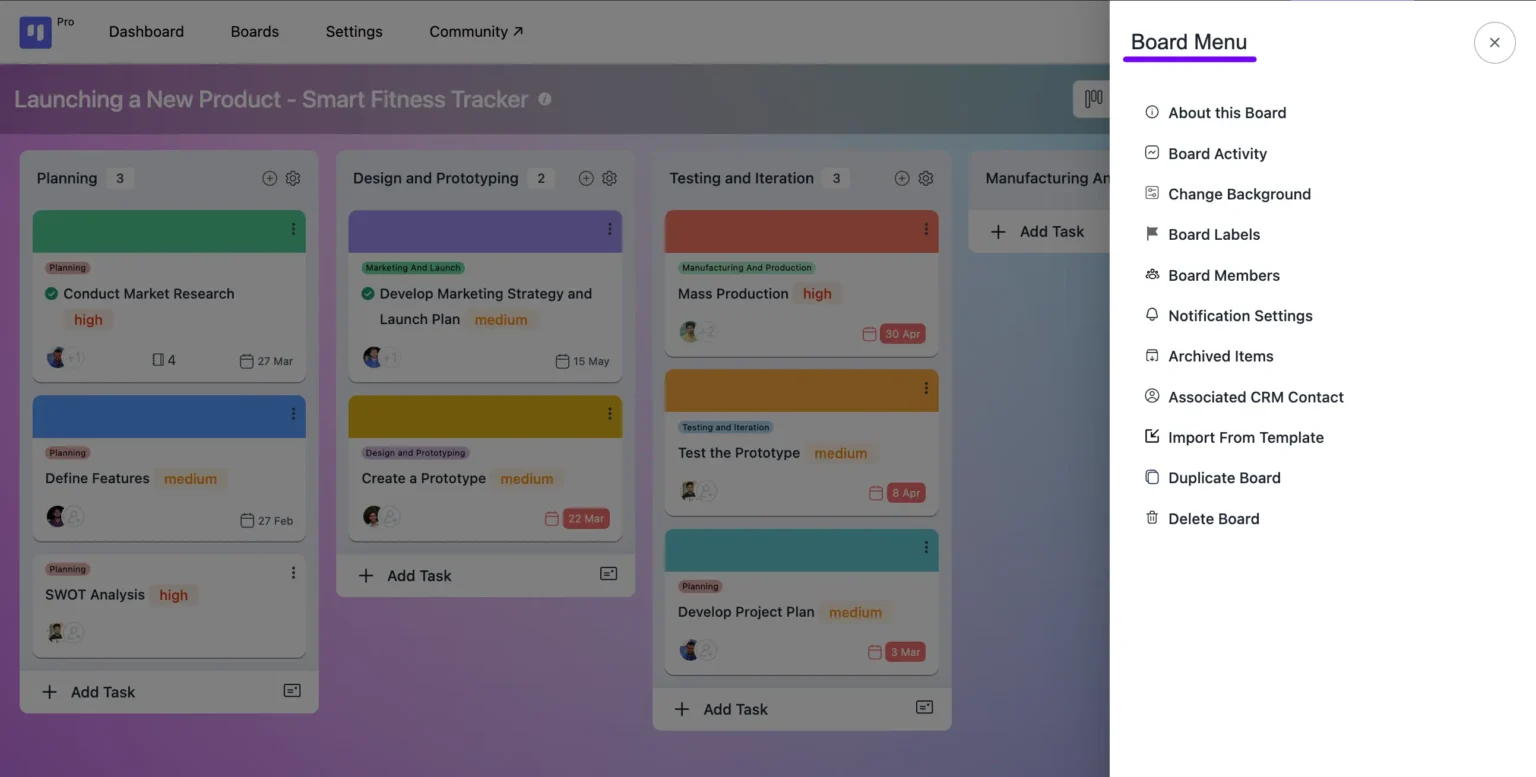
The Board Menu is your control center for managing boards. It allows you to:
✔ Customize board backgrounds
✔ Manage board members
✔ Adjust notifications
✔ Link CRM contacts
✔ Duplicate or delete boards
With these options, you can tailor your board settings for seamless project management.
Integrations #
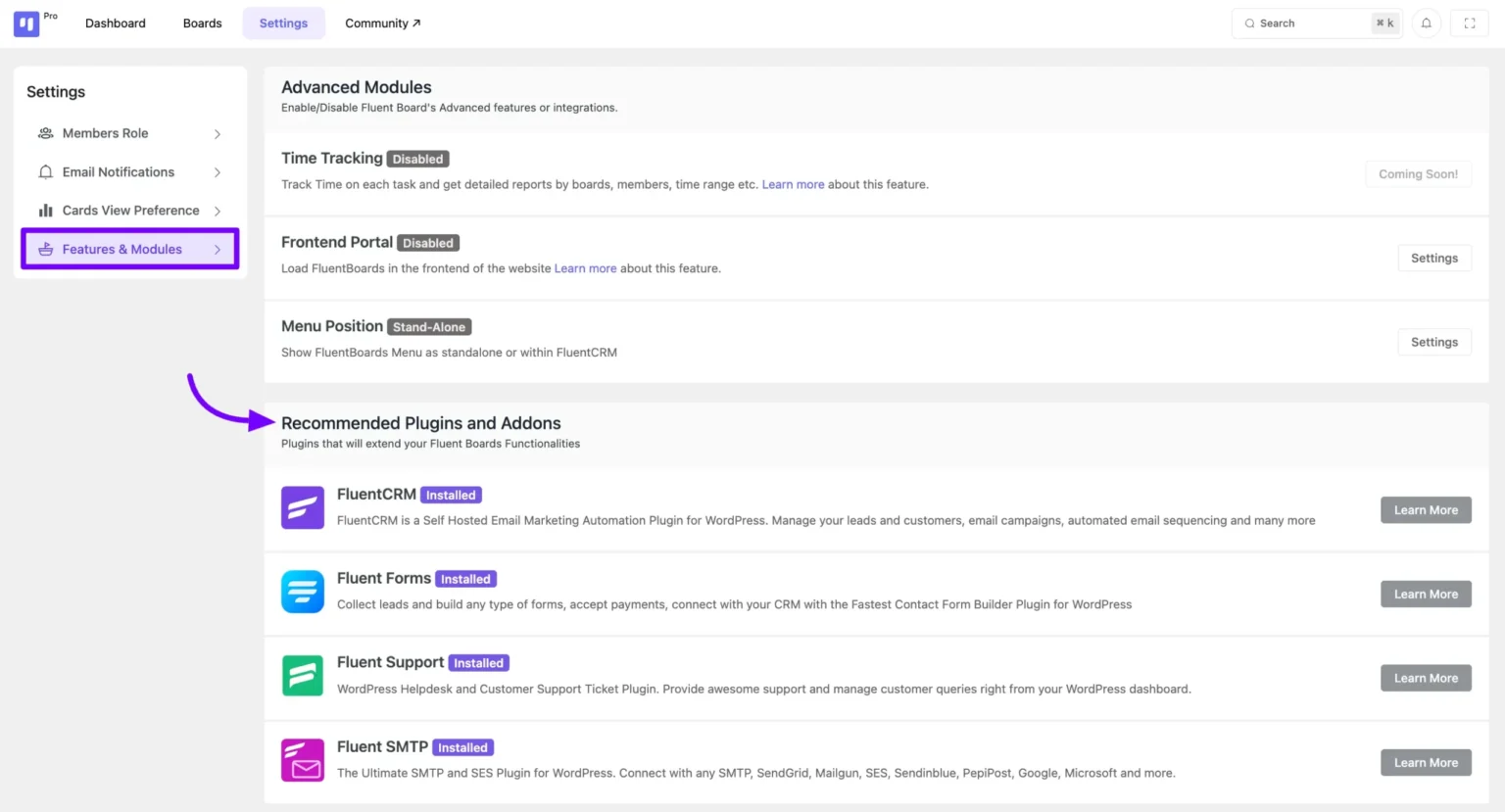
DPMS seamlessly integrates with various tools to enhance project management and workflow efficiency for NGOs.
Ready to Get Started? #
Creating your first board is simple—let’s begin! 🚀